v2.0 · CAD 100/month
Your roster runs on WhatsApp.
ionAI plans the week, collects availability, clocks staff in and out, and answers your questions — over the WhatsApp number your team already uses. Staff install nothing.
See what's new in v2.0 →An assistant that asks instead of guessing
Staff write like humans — "I need Saturday off" — and humans can mean two different Saturdays. ionAI checks before it changes anything, confirms with real calendar dates, and a single "no" undoes a mistake.
I need saturday off
9:17 AM
Quick check, Sofia — which Saturday do you mean? • 22 Aug (this Sat — you’re scheduled 4:00 PM–9:30 PM) • 29 Aug (next Sat) Reply "22" or "29" (or "both"). Nothing is changed yet.
9:17 AM
the next one
9:18 AM
Got it, Sofia — noted your availability: • Sat 29 Aug: off I’ve asked the manager. If that’s not right, reply "no" and I’ll undo it.
9:18 AM
A real v2.0 conversation — dates asked, confirmed, and undoable.
- Asks "which Saturday?" — and shows the shift on each date
- Replies with real dates: "Sat 29 Aug: off", never "next Saturday"
- A day off that clashes with a published shift becomes a request for the owner — nothing disappears from the schedule on its own
A whole workday, in chat
No app to install, nothing to train — the everyday flows are just messages.
started
9:58 AM
✅ Clocked in at 9:58 AM. Have a good shift, Daniel!
9:58 AM
done
4:04 PM
✅ Clocked out at 4:04 PM — 5h 36m today (30m break). Thanks, Daniel!
4:04 PM
Hi Emma — we don’t have your availability for the week of 23 Aug yet. Reply with the days and times you can work.
8:31 AM
Tue evening, Wed evening, sunday all day
8:47 AM
Got it, Emma — noted your availability: • Sun 23 Aug: available (all day) • Tue 25 Aug: 4:00 PM–9:30 PM • Wed 26 Aug: 4:00 PM–9:30 PM
8:47 AM
when do I work next?
12:20 PM
📅 Your next shifts • Fri 21 Aug: 12:00 PM–8:00 PM • Mon 24 Aug: 11:00 AM–7:00 PM
12:20 PM
yes
12:21 PM
Thanks — you’re confirmed ✅ See you then!
12:21 PM
how did we do today
9:41 PM
Day wrap — Thu 20 Aug Sales: $2,050.00 CAD Labor: ~$486.00 (24%) Hours: 19.5h across 3 people
9:41 PM
sales this week vs last week?
9:42 PM
This week $13,300 vs last week $11,850 — up 12% 📈
9:42 PM
What owners get
Planning, coverage, and daily numbers in one place.
Schedule in minutes
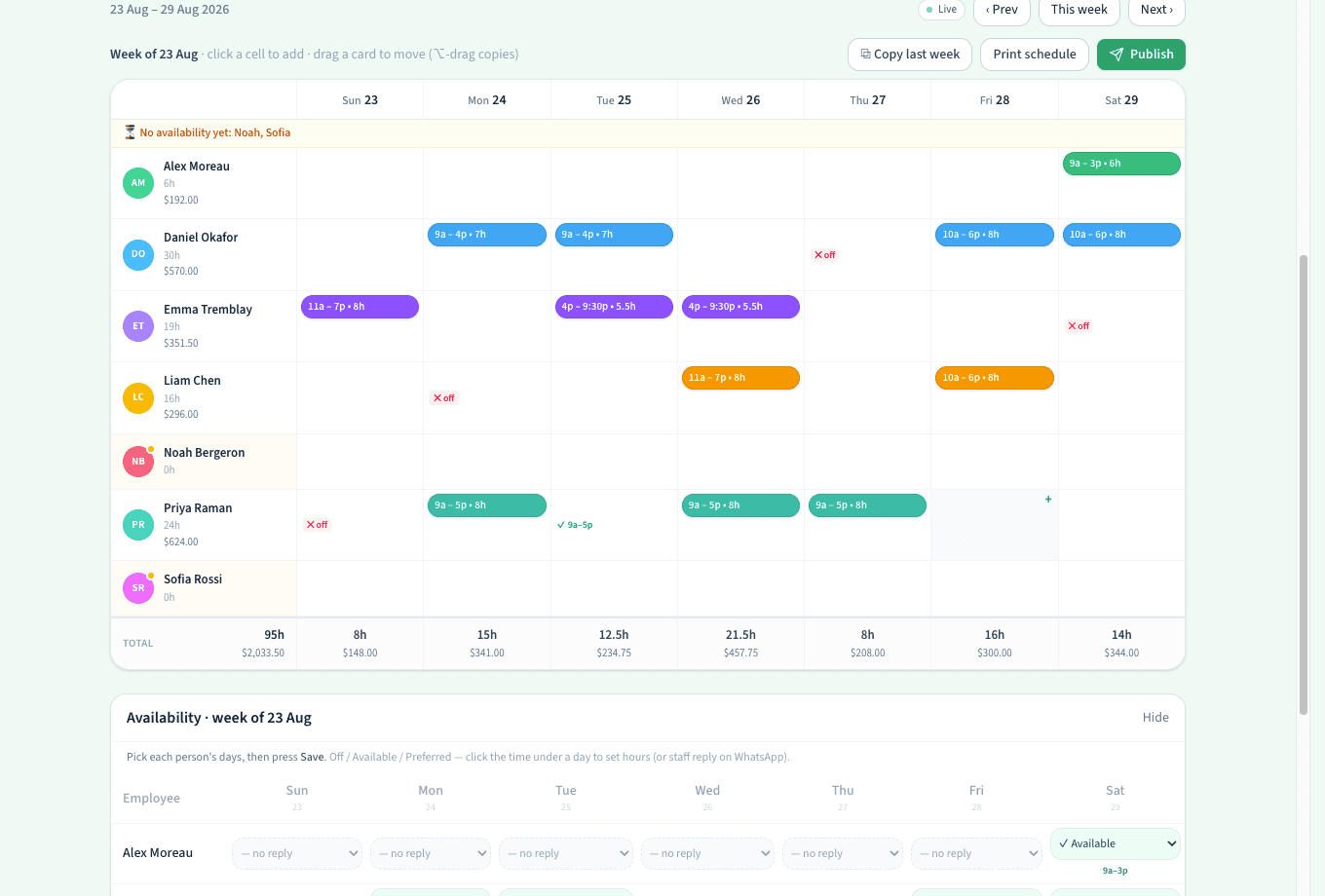
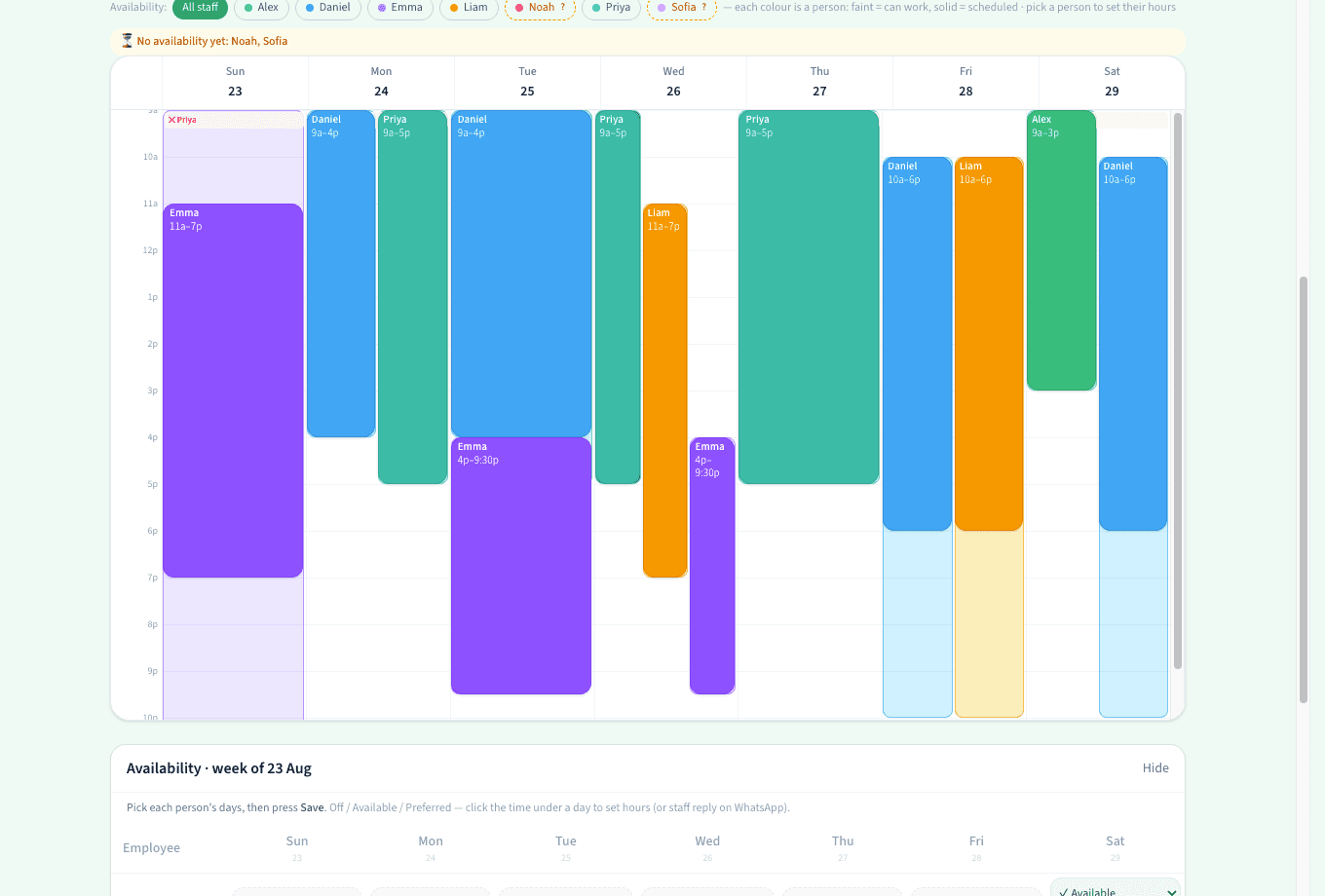
Drag shifts on a week board or a time-grid calendar, copy last week, publish once — everyone gets their shifts on WhatsApp and confirms with a 'yes'.
Availability that collects itself
The bot asks your team on your schedule, reads 'Mon 9-5, Tue off, can't do weekends' — typos included — and shows exactly who hasn't replied yet.
Hours that stick
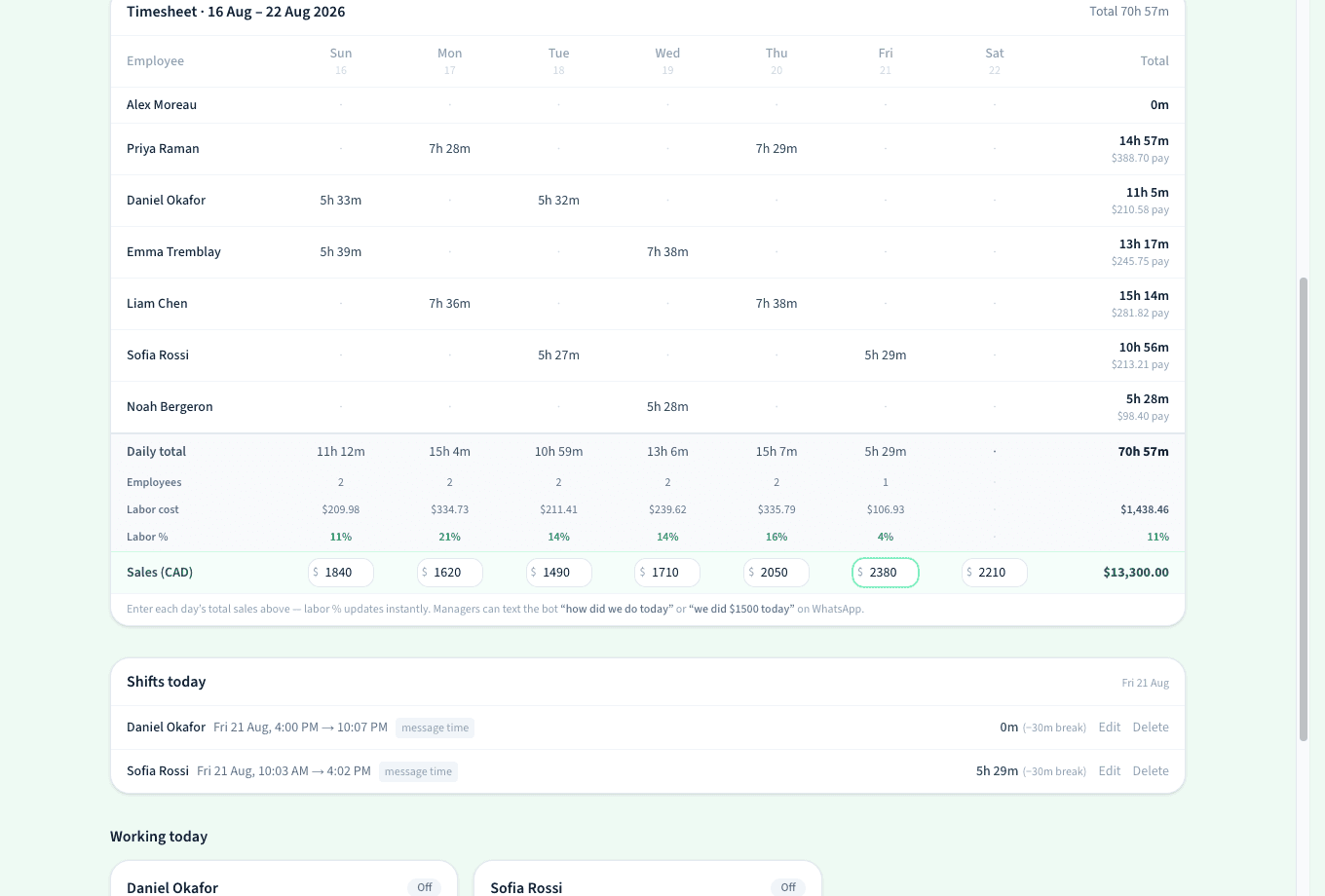
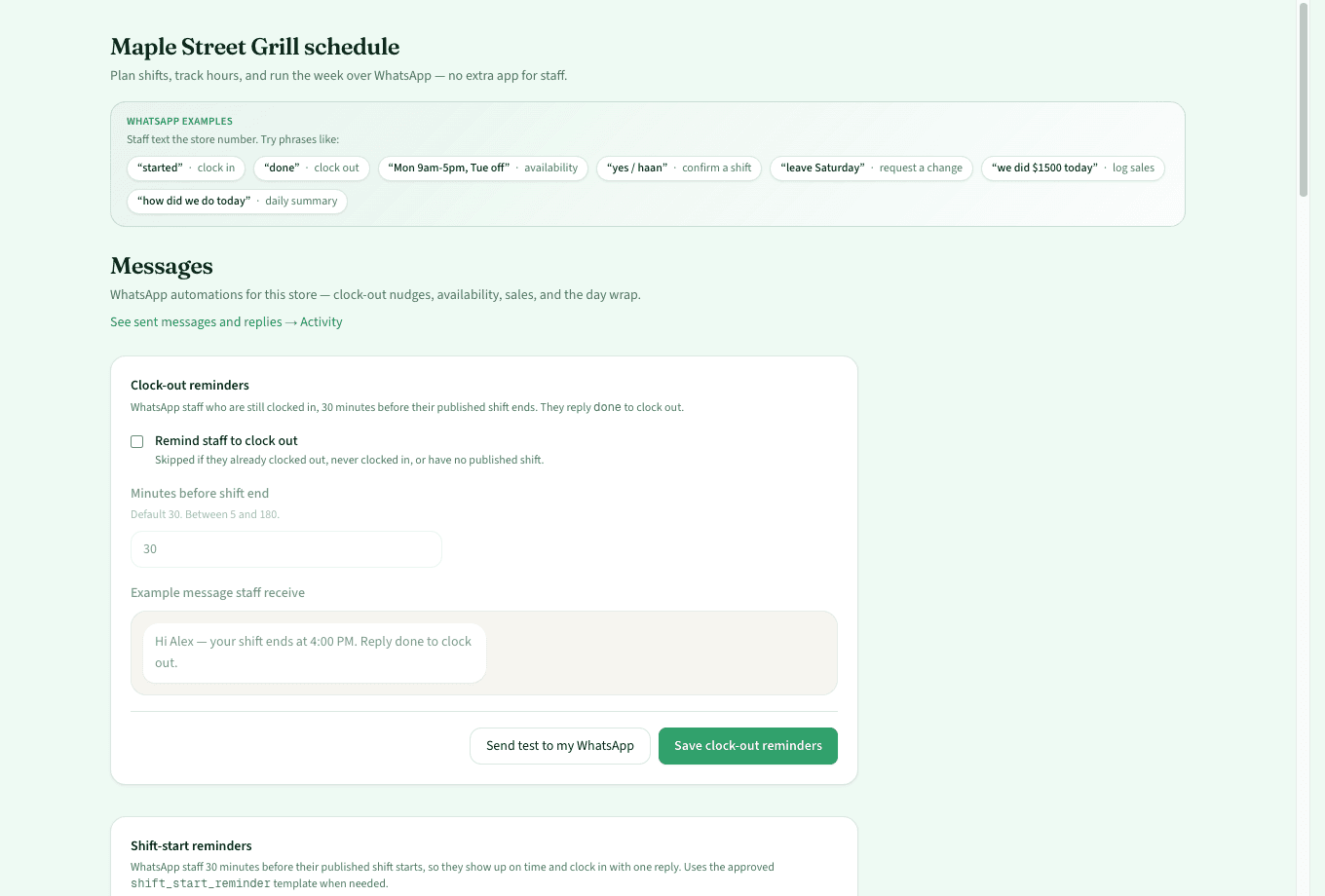
'started' and 'done' clock people in and out. AM/PM is confirmed, mistakes are fixed by text, and punches become hours, pay, and labor %.
Your daily numbers, by text
A day-end wrap with sales, hours, and labor % — plus sales reminders that escalate, and a 7 am catch-up when a day was missed.
Informed, not flooded
One evening summary of what staff changed and who's still silent. Urgent things — like a day off that clashes with a published shift — reach you immediately.
Every conversation on the record
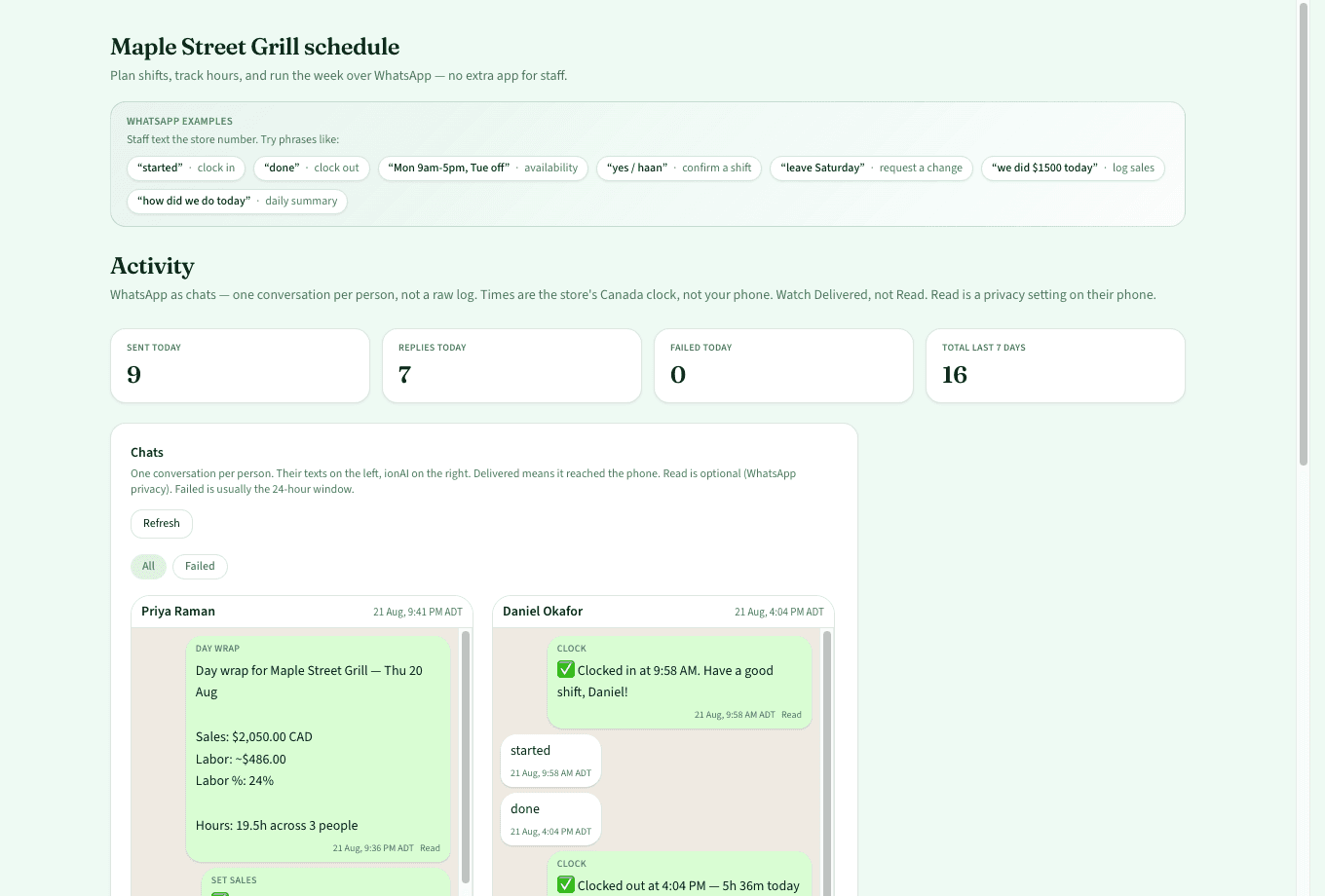
Activity shows each person's WhatsApp thread like a real chat — with delivery ticks and times in your store's clock.
See the product
Week board for owners. WhatsApp for staff. Timesheet when you need the numbers.
swipe to explore →
swipe to explore →
swipe to explore →
swipe to explore →
swipe to explore →
swipe to explore →
How it works
Four steps from signup to a living schedule.
- 1
Connect a WhatsApp number
Use your own via Facebook, or paste Twilio into three fields. Ten minutes, no developer.
- 2
Add your team
Names and phones. Roles decide who sees what — staff see their own hours, never anyone else's pay.
- 3
Collect availability
The bot asks on your schedule, understands plain language, and chases whoever hasn't replied.
- 4
Publish — the week runs itself
Everyone gets their shifts and confirms. Punches, reminders, change requests, and your evening numbers all happen over chat.
Built for
Busy stores
QSR and restaurants where shift swaps, day-offs, and rush hours change by the hour.
Teams that text
Cafés and retail teams with part-timers whose availability changes every week.
Owners who need hours
Multi-location owners where each store keeps its own WhatsApp number under one login.
FAQ
- Do staff need to install anything?
- No. Staff use plain WhatsApp — texts like 'started', 'done', or 'Mon 9-5, Tue off'. Only the owner opens the dashboard.
- What if the bot misunderstands someone?
- It asks instead of guessing. Ambiguous dates get a which-day question, every save is confirmed with the real calendar date, and a one-word "no" undoes the last change. Nothing on a published schedule changes without the owner approving it.
- Can staff change the schedule by texting?
- No — staff texts become requests in your inbox, and staff are told the shift stands until you approve. Managers and owners can apply changes directly.
- Which WhatsApp number does it use?
- API WhatsApp (Twilio or Meta) is separate from the personal WhatsApp app on a phone. Use a spare SIM or landline for the store line — don’t casually migrate the owner’s personal chat number.
- How much does it cost?
- The Store plan is CAD 100/month. Some stores may still be on a time-limited beta at no charge — see Pricing.
- What do I see as the owner?
- Every conversation in Activity with delivery ticks, an evening summary of staff changes, a day-end wrap with sales and labor %, and a weekly availability digest before you build the schedule.
Put your roster on WhatsApp today.
v2.0 is live. CAD 100/month per store, cancel anytime.